

Your recruiting.Under control.
Save candidates, keep notes, and plan follow-ups right where you source and chat. Your personal recruiting workspace, free to use.












Less to repeat. Less to remember.
Tools for the work between finding a person and moving them forward.
Know who. Know where.
Know what’s next.
Your saved candidates, roles and next steps in one personal workspace.
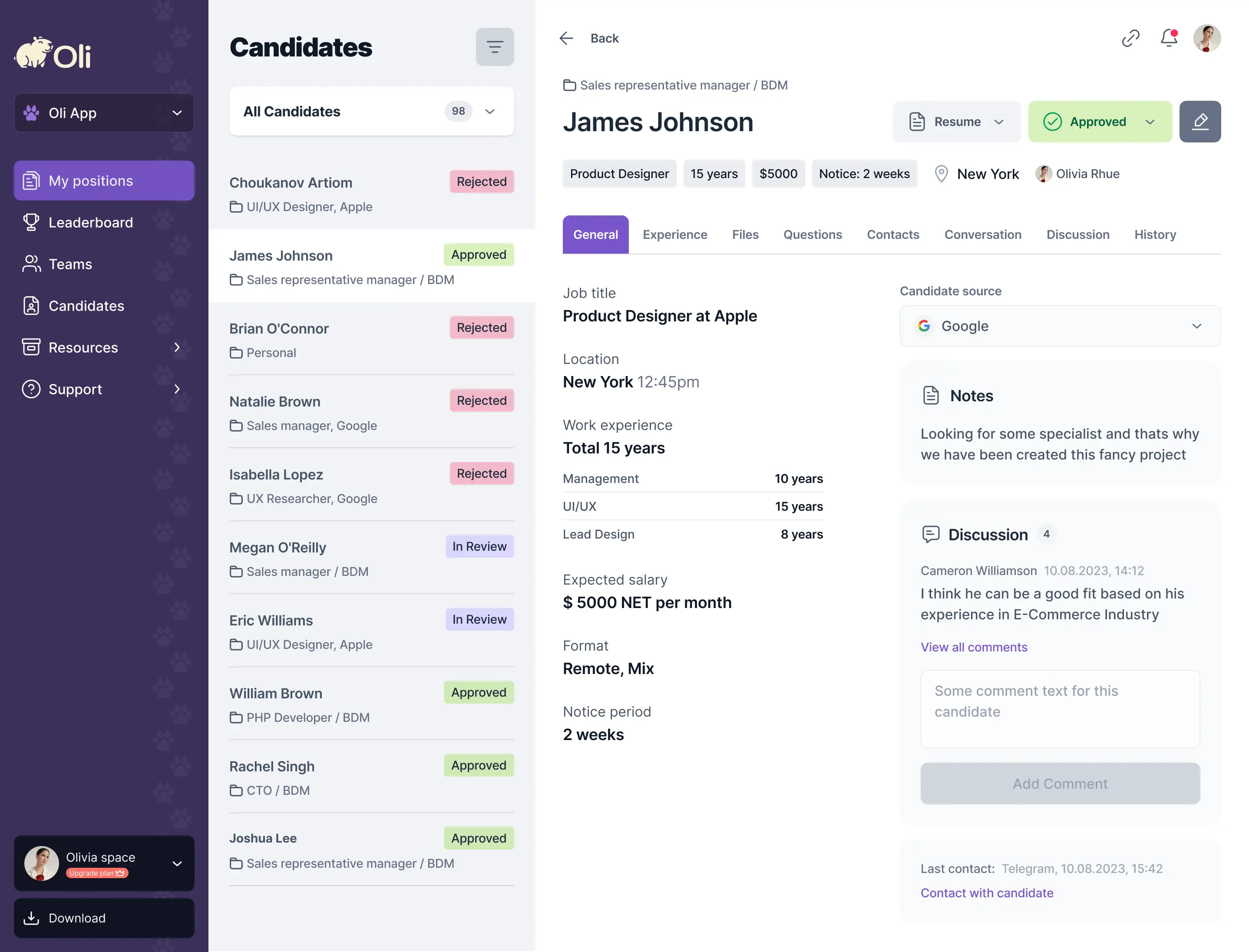

Save the person.
Keep the details and notes you’ll need later.
Know where things stand.
Connect candidates to a role and a stage.
Return with context.
Pick up the work when the next role or conversation comes around.
See where
your effort goes.
Review your sourcing activity and channel results. See what’s working and where to focus next.
Based on saved activity. Turn on contact history to start building it.
- What did I do this week?Look back at your saved activity.
- Which channels worked?Compare results across your channels.
- Where should I focus next?Use your results to plan the next week.
Fits into
your working day.
Add OliApp. Set up your tools. Use them as you recruit.
Add OliApp to your browser.
Open it where you source and chat.
Make it yours.
Add templates and keywords. Turn on contact history if you want to keep it.
Use it as you recruit.
Save candidates, add notes and set follow-up reminders.
Free for one.
Built for your everyday work.
Your tools, candidate base and personal analytics. Free for individual use.
Your everyday recruiting toolkit
- Outreach templates with profile variables
- Keyword highlighting and stop words
- Search across saved candidates and contact history
- Candidate cards, notes, roles and pipeline stages
- Follow-up reminders in your calendar
- Personal activity and channel analytics
Why free?
We charge for team plans. Individual recruiters can use OliApp for their own work for free.

A few things worth knowing.
What is OliApp?
OliApp brings sourcing tools and a personal ATS together for recruiters who find and contact candidates themselves. Start with outreach, keyword highlighting or finding past contacts, then keep your candidates and next steps organized.
Is individual use free?
Yes. Personal use is free. We make money from team plans.
Does OliApp send messages for me?
You choose your message, review the details and press send yourself.
Can it find every person I have ever contacted?
It finds what was saved: your candidates, plus contact history while it was turned on. Activity from before that isn’t saved.
Do I need to replace my company’s ATS?
You can use OliApp for sourcing and outreach alongside your company’s system. Follow your company’s rules for storing candidate information.
Where can I get help?
Email hello@oliapp.co or message us on Telegram.
Your workspace. Free for you.

Save candidates, keep notes and plan follow-ups where you already work.
Free for individual recruiters.