
Recruiting CRMfor sourcing teams
One shared base for every candidate your team finds, created from the profile you have open, with a signal when a teammate is in touch.

What is a recruiting CRM?
A recruiting CRM keeps every candidate your team has contacted in one shared base, with history, notes and next steps. OliApp is a recruiting CRM for sourcing teams: cards come from open profiles, and teammates see who is in touch.
How the base stays current
- 1Found where you source
- 2Card from open profile
- 3One shared cardHistory · Notes · Conversation · Parsed CV
- 4Teammate alert
- 5Status and follow-upTable or kanban · Calendar event
35% of recruiters and hiring managers list spreadsheets among their tools.Employ, 2025
What your team gets
One base the company owns
Every candidate, note and reply on one card; admins set export rights.
One message per candidate
Side panel shows if a teammate added or contacted them.
Saved where you source
Contacts fill in from the open profile; AI parses the CV.
Talent tracking by role
Statuses on a table or kanban board, follow-ups as calendar events.

What a recruiting CRM does for a sourcing team
A recruiting CRM, also searched as a CRM for recruiting, keeps the candidate side of hiring in one place: every person your team has found or contacted, with history, notes, replies and the next step. An ATS runs the process once a candidate applies or joins a requisition: job posts, interviews, offers. A client CRM tracks the companies an agency sells to.
OliApp covers the candidate side for teams that source candidates themselves. Recruiters save profiles from the platforms where they already work, and the whole team works from the same card. Teams comparing crm recruiting software usually decide on two things: how candidates get into the base, and what the rest of the team can see. The sections below answer both.
Sourcing carries a large part of technical hiring. In Ashby's data on AI-titled technical roles, 28% of hires came from sourcing and 9.2% from agencies.

Recruiting CRM, spreadsheet or full ATS
Each option fits a different stage of hiring. The table compares them on the questions sourcing teams ask most.
| Question | Spreadsheet | OliApp, recruiting CRM for sourcing teams | Full ATS |
|---|---|---|---|
| How candidates get in | Typed or pasted by hand | Created from the open profile on supported platforms; AI parses the CV into fields | Mostly applications to posted jobs; sourcing tools vary by vendor |
| Who keeps it current | Whoever remembers to update it | Updates as recruiters save, message and move cards | Recruiters and hiring managers inside the hiring process |
| Who on the team is in touch | Visible if someone wrote it down | Side panel shows if a teammate already added or contacted the person | Varies by vendor |
| Conversations and notes | Separate inboxes and chats | Synced conversation, Discussion tab and change history on the card | Emails and interview feedback inside the system |
| Job posts, interviews, offers | Outside the sheet | Public Job Ads link with questions; interviews and offers stay in your ATS or calendar | The core of the product |
| Access and export | Anyone with the link | Roles, hidden fields, export by permission set for each role | Role-based access |
| Fits best | One person or very early hiring | Teams of 3 to 20 that source candidates themselves | Teams with structured, application-led hiring |

How the base fills from daily work
Candidates enter the base as part of the work recruiters already do.
Create a card from the open profile.
On supported platforms, the browser extension for Chrome and Edge creates a candidate card from the profile you have open: name, profile link, public contacts and location fill in automatically. Confirm the position and save. Supported platforms include Djinni, Telegram, WhatsApp, Gmail, Slack and Behance. The functions available on each platform depend on that platform's permissions.
Add the CV.
Upload a CV and AI parses it into the card fields. Recruiters check the fields and make every decision.
Keep the conversation on the card.
With sync turned on, messages from supported platforms appear on the candidate card, so the context travels with the candidate.
Collect applicants in the same base.
A public Job Ads link with your questions creates a candidate card with the status «applied».
One candidate base your whole team trusts
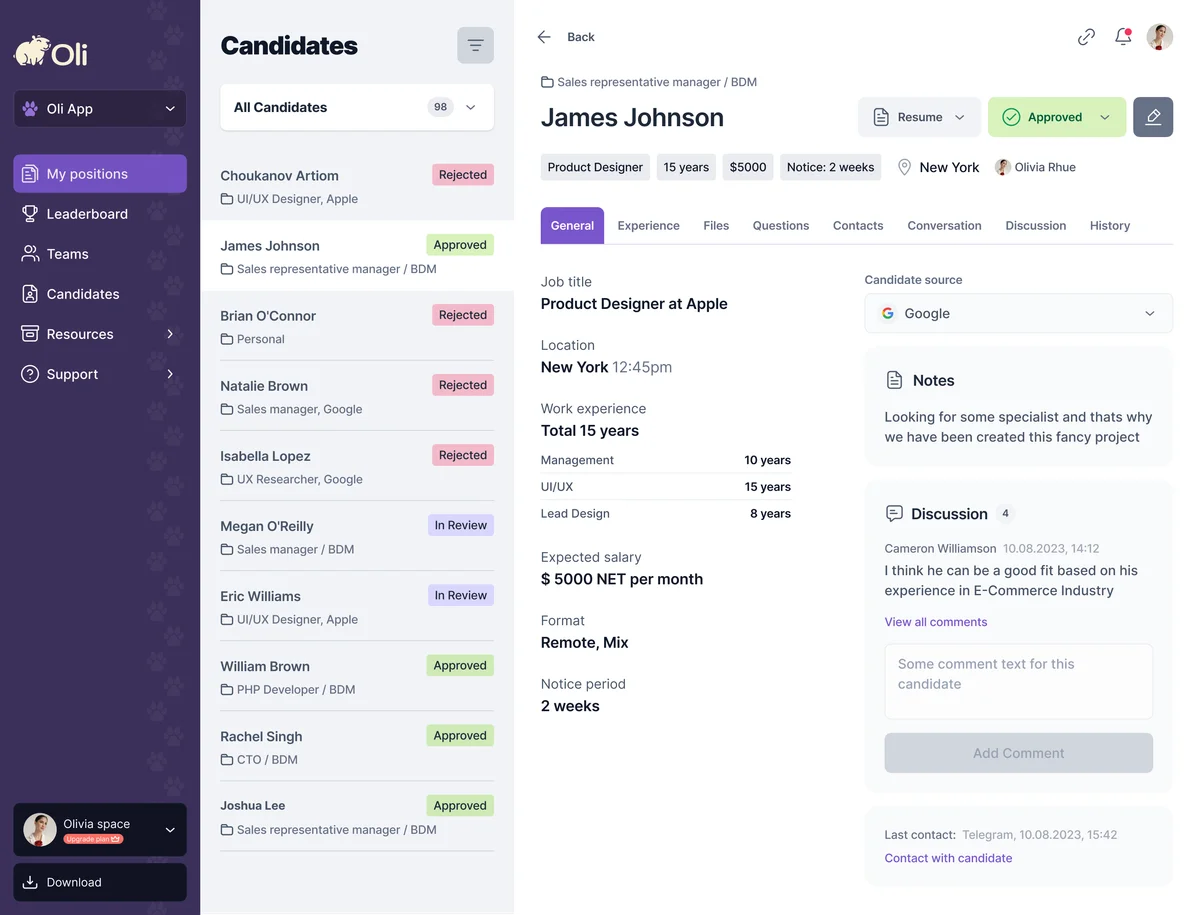
Every candidate lives on one card that the team shares, and each recruiter also keeps a private Personal list. The card holds contacts, attached files, total years of experience, the synced conversation and a history of every field change.
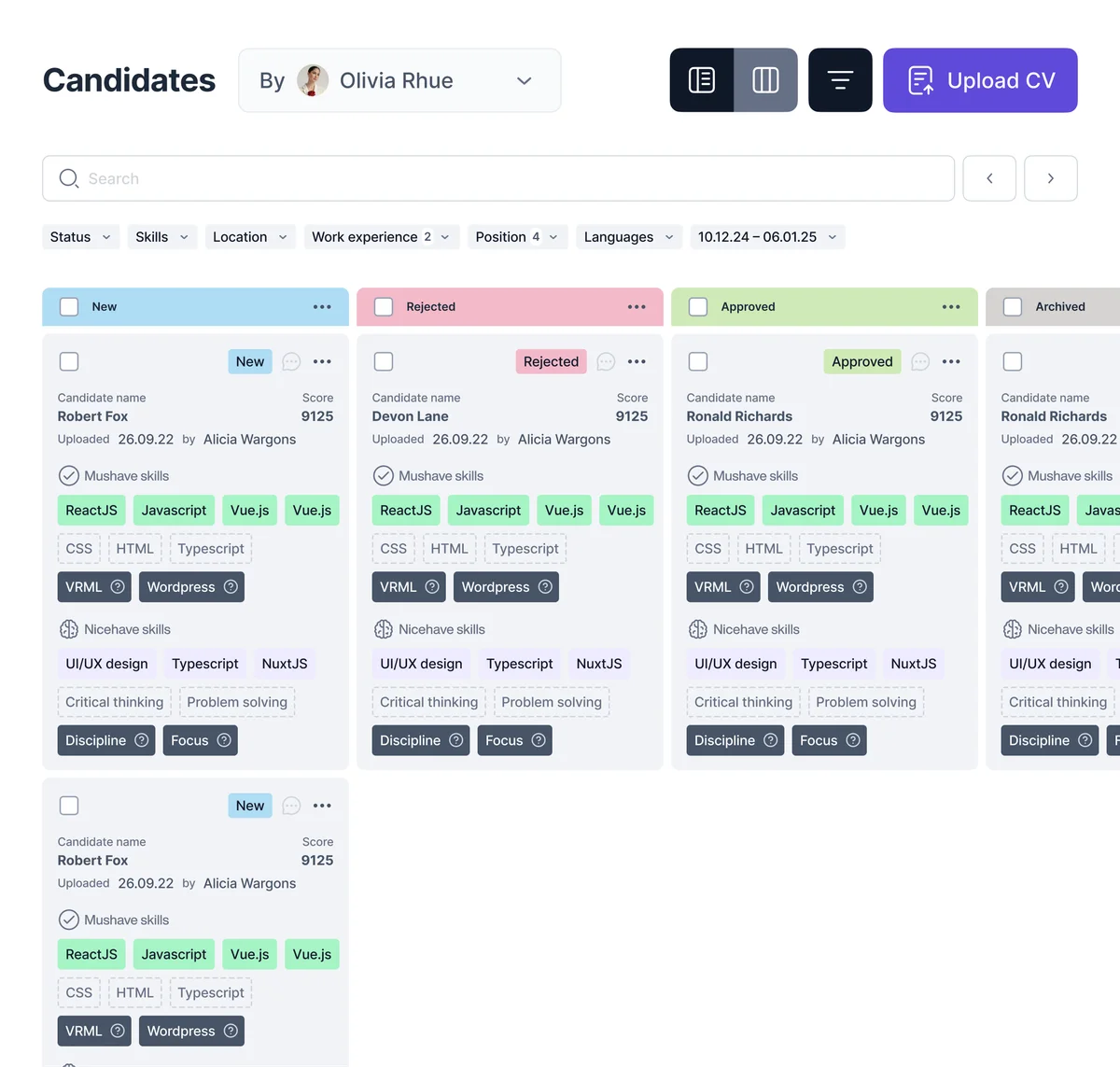
Candidates sit on a table or a kanban board for each role, with statuses the whole team sees. That is talent tracking in practice: founders, recruiters and hiring managers get a clear visual picture of where every candidate is in the process without asking anyone for an update. When you add a candidate, set a follow-up reminder and add it to Google Calendar or Outlook.
Teams that look for a candidate management system, candidate management software or recruiting database software usually want one outcome: every past candidate easy to find when a new role opens. In OliApp the base is a shared workspace with filters by date, status, skills, location and experience.
Each card shows who added the candidate. Roles decide who can view, edit or move candidates that teammates added.

Every candidate hears from your team once
When two recruiters write to the same engineer about two different roles, the candidate notices, and often the client does too. Agency teams describe it as recruiters who step on each other's toes.
When you open a profile, the extension's side panel shows whether the person is already in the base and who on the team works with them: green for an active conversation, orange when the candidate is assigned to another teammate, blue when a teammate contacted them earlier. The signal covers people saved in OliApp, from the moment the team starts using it.

Discuss every candidate on the card, with hiring managers in the loop
The Discussion tab keeps the team's comments on the candidate card, next to the profile and the conversation. Hiring managers join the same discussion, so feedback stays with the candidate and every teammate reads it in one place. The History tab records every field change, status move and new comment, with its author.

Find candidates already in your base
When a new role opens, start with the people your team already knows. Search your own base in plain language, for example «senior ML engineer who replied last quarter», and narrow the results with filters. AI search returns the candidates; your recruiters decide who to contact.


Roles, permissions and export
The base belongs to the company. Admins set roles for the workspace and for each open position (Admin, Supervisor, Member), hide names or salaries where needed, and decide who can edit or export. Exported profiles carry their notes and comments.
For agencies, the same permissions open the board to clients. Your client sees the live board: how many candidates are in process and at which stage, with access limited to the roles you choose. Each client user takes a seat on your Pro plan. See recruitment agency software for the candidate side.

Works alongside your ATS or as your main base
Teams use OliApp in two ways:
- Alongside an ATS. Sourcing, early conversations and team context live in OliApp; the ATS keeps applications, interviews and offers.
- As the main base. Small teams without an ATS run roles, statuses and follow-ups in OliApp, with Job Ads for inbound applicants.
On the Pro plan, the OliApp team builds an integration with your ATS on request, in 1 to 2 weeks.










 Your ATSIntegration on request, 1 to 2 weeks on Pro
Who OliApp fits
Recruitment agencies of 3 to 20 recruiters
One base the agency owns, teammate alerts, a live board for each client
For recruitment agenciesSmall in-house teams without an ATS
Every candidate for open roles in one place that the founder, recruiters and hiring managers see
For small hiring teamsIndependent recruiters
The free Personal plan with the browser extension
Chrome extension for recruiters
A full agency suite or ATS fits teams that need placements, invoicing, a client CRM, job board multiposting or interview scheduling in one system. These teams can run sourcing in OliApp next to it.
Sources
- Employ (Zogby), 2025 Recruiter Nation Report: online survey of more than 1,200 US recruiters and hiring managers, September 2025; 35% listed spreadsheets among their recruiting tools. Checked October 29, 2026.
- Ashby, AI Job Postings report, July 9, 2026: hires for AI-titled technical roles, 28% sourced, 9.2% through agencies, 37.1% inbound. Checked October 29, 2026.
Questions about a recruiting CRM
See your team's shared base in action

A team demo built around your open roles.